Why ?
I’ve had this M1 MacBook Air sitting on my desk for ages. 8GB RAM, perfectly fine little machine. Like most devs I barely touch it; the company laptop runs the show and the personal one mostly just exists.
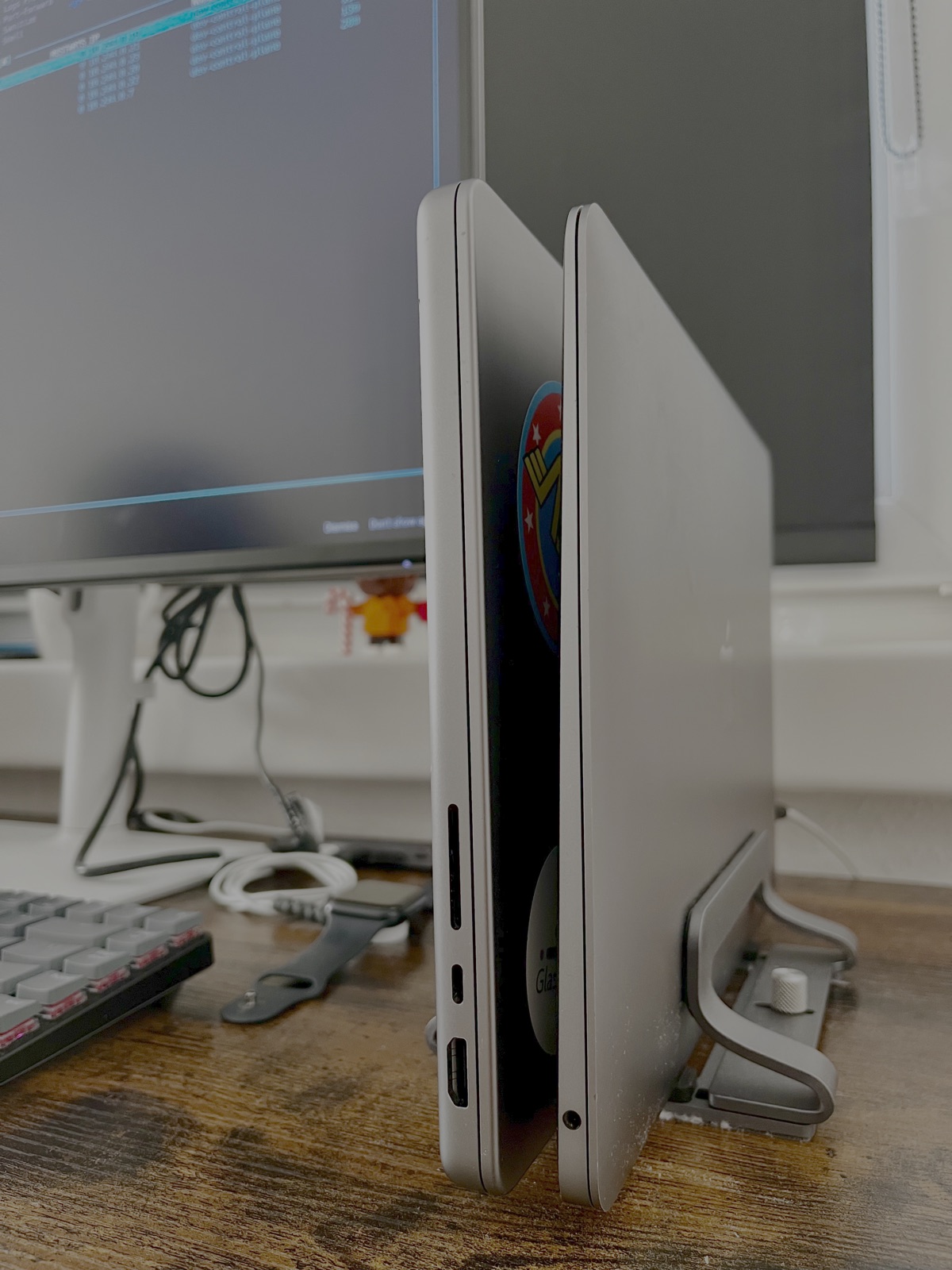
Felt wasteful. So I plugged it into my work MacBook Pro over USB-C, folded both lids on a vertical stand, and turned the Air into a tiny homelab I never look at.
Setup
Two Macs on a vertical stand, lids closed. The Pro is the one I actually use (external display + keyboard). The Air sits next to it in clamshell mode. Single USB-C cable between them.
I never touch the M1 physically. Screen Sharing if I want the GUI, SSH for everything else. The keyboard might as well not exist. There’s something pleasing about a computer that just sits there and works.
Quick sanity check that both are actually on the network:
Two paths to the M1: Wi-Fi via the router and link-local over the USB-C cable. The cable is faster, the router is more stable across sleep. I use whichever responds.
How much faster is the cable? About 6×:
Not life-changing for kubectl, but it matters when I’m pushing images or copying big files.
Plan
Right now it runs a kind cluster. That’s it. Maybe later:
- Move my Photos library onto it so my main disk stops crying.
- Run Ollama locally as a fallback in case Claude / Cursor decide to triple their pricing one Monday or have a bad outage day. A worse local model is still a model.
- Whatever else I think of. It’s more hack than need.
The cluster
colima + kind. Docker Desktop’s idle footprint is rude on 8GB so I skipped it.
Reaching it from the MBP
The fun bit. Kind binds the API server to 127.0.0.1 inside the VM, colima forwards it to 127.0.0.1 on the host. Cool. Useless if “the host” is a different laptop.
SSH tunnel works but you have to remember to start it. Skip. Instead: socat as a launchd agent on the M1, rebinding port 6443 onto 0.0.0.0, starting at login, restarting if it dies. Add the M1’s LAN IP to the kind cert SANs so the cert is happy.
Tradeoff: anyone on my home Wi-Fi who has my kubeconfig can hit the API. Risk: my apartment, my problem.
What’s actually running
I run glassflow, the thing I work on, without burning my MBP’s memory. Local testing, debugging, and the cluster I’ll throw at my Kubernetes exam prep all live here now.
From the MBP:
| |
API, controller, NATS, Postgres, UI: six real pods doing real work on a laptop I can’t see from where I’m sitting. Packets leave the MBP, cross the USB-C cable, get NAT’d into a Linux VM, land in containers on the Air, come back. A small Rube Goldberg and I love it.
Result: a kube cluster I never have to look at 🚀
Next
- Photos library on the M1, off my main disk.
- Ollama, just in case.
- Whatever else looks like fun.
Zero ROI, full nerd points. I’ll take it.